Posts

Showing posts with the label Blogger

How to Enable HTTPS on Blogger with Custom Domain
Image
In the previous article, I explained about How to change HTTP to HTTPS in Blogger domain, therefore, in this earlier article I will explain and show you the incredible trip, it is how to enable HTTPS on Blogger with the Custom domain. the default domain name host with the HTTP extension or insecurity extension so most of the website and blog hosted within this security level. It does not a matter if you don't what to protect the integrity and confidentiality of your users' date. But if you are using the Blogger CMS, I suggest you activate or enable the HTTPS function on your blog dashboard which offers by Blogger. Before you start it, you should learn what it is about and why it is necessary for your blog. These letters are standing for; HTTP : Hypertext Transfer Protocol HTTPS : Hypertext Transfer Protocol Secure SSL Certificate : Secure Sockets Layer Certificate. What is the Hypertext Transfer Protocol Secure (HTTPS)? Well, the HTTPS stands for Hypertext Transfer ...
Free Responsive Slider jQuery Plugin For Blogger

Image
Some bloggers surf the best blogger template with a responsive slider jQuery Plugin. But, there is no matter if you found a good blogger template without a slider. A responsive slider plugin can install to your template. In this article, I will share a beautiful blogger slider plugin with you. This slider is a flat slideshow. It has slide titles on the right side position and flows from the left side of the slider. Each images should 1300px width and 450px high. There are some tutorials show how to install it. This responsive slider jQuery Plugin is not only suitable for Blogger templates. But it is good for all kind of HTML website template and  WordPress Templates . To install this responsive slider, you have to understand some basic HTML Code. You can download the slider here or install it into your blogger with the below instruction. Live Demo Download How to Install Responsive Slider jQuery Plugin to Plugin? Here is the slider HTML code below that you need to copy an...

Content Management System Solution

Image
You know you want an internet website, you've performed your research on several solutions and have looked at a Content management system (CMS) solution. Now the question of Search engine optimization is rearing its head and you are left stumped. With a number of Content management system alternatives out there, how do you determine that is the best? Working as a Freelance Website Designer in Siem Reap we've encountered of a number of Content management system executions as well as the search engine marketing advantages connected with them. Content management system or Search engine content management systems are becoming increasingly the most famous way to build a website. With the increasing popularity of WordPress that has made the transition from web blogging tool to the Content management system, the days of opening your app or HTML programming books are rapidly vanishing. Older more established Content management system solutions like Joomla and Drupal (www.drupal.or...

Best CSS Image Hover Effect Code For Blogger

Image
A long time ago Blog Supporter shared an article related with the image hover that works with HTML code that called  Reflective Image Rollover and there are many bloggers are using it. To get the Image hover effects, some web developers use CSS hover code and plugins such as Image Hover Effects WordPress Plugin, Image Hover Effects In CSS3, Image Hover Effects Jquery, and Image Hover Effect In Bootstrap. Recently, new image hover effect codes are popular for bloggers that they are using to make more attract from visitors. From now on you will get new specific image hover effect code that you can use on your PHP and HTML website and blog designed. These image hover effect codes are the best choice for beginner blogger and web developer. You will be allowed to use few simple CSS and HTML codes to place on your blog or website by copy and paste method. In this article, we are going to release seven image hover effect codes specifically built for bloggers and w...

How To Get Facebook Instant Articles For Blogger

Image
In the previous articles, I explained what the instant articles is . And the another article I had shared you about a way to create instant articles for WordPress  website. In this latest article, it will share you the another tutorial that you can get Facebook Instant Articles for a Blogger blog. You will not have any another way to push Facebook approves your instant articles for your Blogger blog besides this below explanation. You need to understand about the instant articles HTML rule and I think that it would be hard for beginner blogger, so I would share this and the easiest way for a young blogger experience to get approval fro Facebook. How To Start Facebook Instant Articles For Blogger? Thus, before you step into this tutorial, you have to get ready within the creation of the Facebook developer App that you can start to create it from the Facebook developer website . And here is the another tutorial that guides you to create the Developer App for Website  a...

Google Domains Best Choice For Bloggers

Image
A long time ago I wrote an article about how to configure custom domain name with blogger blog and a few weeks ago I explained a way to increase the domain authority score . In this new articles, I will share the another new thing that is most important for bloggers and web developers. That is Google Domains, it is the best choice for all of you that is looking for a good domain name for building a blog or website.  I knew there are many international and local companies are providing domain name and hosting services but those are some third party suppliers and limited services providers. These below reasons and benefits that you will need to choose Google domains name. Why Choose Google Domains? A buyer always thinks about benefits that received from the products that he/she bought from a company. If you a clever buyer, you will think about those company that provides benefits and truth. These are below benefits lists you will get from the Google. Best Security backed by...

Blogger Related Posts Widget

Image
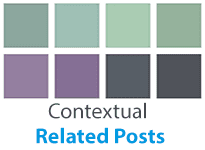
In the previous articles , I explained you the customization for blogger popular posts. Here is an extra blogger tool called "blogger related posts widget" that you can add it to your blog. And this extra blogger tool will appear in the single page or post which beneath a blog post. Contextual Related Posts is the best extra tool and easiest way to add to your Blogger blog for free. it will help you to get more post view by motivating your visitors to click another article when you are on any post. The Blogger related posts widget for the blogger is displaying similar articles that mostly posted in the same category and it display both thumbnail post and post title. Live Demo How to Add Blogger Related Posts Widget  In this below tutorial will guide you to add contextual related posts to your blogger blog. Step 1: Login to your Blogger blogger.com Step 2: Please direct to your blogger dashboard menu and click Template > Edit HTML . Step 3: Now you ...

Remove Quick Edit and Wrench Icon in Blogger

Image
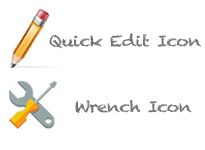
What is Quick Edit and Wrench Feature? Quick Edit is an awesome feature and an original functional tool from Blogger Custom Management System (CMS). The Quick Edit is placed in all Blogger templates to completely work for editing articles that have been posting on Blogger blog. Quick Edit Icons were shown on the Blogger posts and pages at the bottom. The webmaster will use it to edit the document, it is a fast and quick method. Wrench Feature is an another functional feature that is working on Blogger template. The Wrench Feature is showing by wrench icon and mostly display on widget sidebar (gadget HTML/JavaScript) that provides an easy way to edit on widgets. Why Do You Need To Remove Quick Edit and Wrench Icon? There is only one reason that webmaster needs to remove quick edit function from their Blogger template. You might be heard about Search Engine Optimization (SEO), if you understand about SEO requirement you will need to improve your website or blog SEO score. Th...

How to Create 404 Error Custom Page in Blogger

Image
Any person that makes use of a computer system regularly has actually been confronted with a 404 mistake message. This annoying little obstacle to our research or fun search activities can be a little an inflammation for the majority of us. The 404 error message commonly turns up when we request for a URL LINK that the internet server does not have. Somehow, the server decides to simply blink a 404 mistake message instead of supplying us with the information that we looking for. All we know from the information supplied is that the website has in fact not lain. This is normally a default message that many Web web servers return when an individual requests a LINK that the server does not have. This is not to suggest that the URL does not exist. The 404 error message or page not located remains in violation to basic policies for error messages all at once, based on numerous of its doubters. The doubters suggest that the 404 error message must be written in nonprofessional's t...

The Way To Delete Blogger Blog Permanently

Image
Blogger Blogspot is a free Custom Management System and also provides Blogspot templates, those blog templates allow you to create and manage hundred of blogs by free of charge and hundred of free Blogspot templates and you will not worry about hosting services, domain name or monthly bandwidth, everything you got for free. But can you delete them? Yes! of course, you can be deleted blogger blog permanently by free as well... Haha! but all blog's data and posts will be removed as well. However, you have 90 days to restore it back, otherwise, the system will remove it forever. So in this tutorial, we will share you how to delete blogger blog permanently by just flowing these below. These Below 5 Steps Are Completely Delete Your Blogger Blog Away Warning : You must be the administrator of a blog to delete this blogger blogs. Step 1: You need to login to blogger account at blogger.com blogs Step 2: Select a blog that you would like to delete from your blog list and mak...

New Flat Tabbed Menu For Blogger / Blogspot

Image
If talking about the Blogger or Blogspot menu design to a different drop down menu . I think this Flat Tabbed Menu is awesome and fit to all kind of free blog templates by using only HTML and navigation CSS code. It is a kind of responsive design menu which design for creating a blog spot and all free blogger templates. This menu code is able to customize background, hover color style and it is ready designed for the text shadow. It is mostly used for free professional blogger templates and magazine website template. Let's follow this below tutorial to design a responsive navigation menu and add it to your blogger template. How to add Flat Tabbed Menu to blogger? Live Demo Step 1: Now visit blogger.com and Login to your account Step 2: On dashboard you need to click on Template link then click on Edit HMTL button Step 3: Click anywhere in HTML code area and press Ctrl + F or Command + F for Mac to search for   ]]></b:skin> tag. Step 4: Now it is a...

Customize Blogger Popular Posts Power by CSS

Image
Sometimes the original blogger widget popular posts which located on your blog widget sidebar is very simple and it does not much attraction for the visitors. The blogger sidebar popular posts is able to customize, so in this tutorial I will give you a the another CSS code that you can use it to decorate your popular posts on blogger widget sidebar, the CSS code is specific to image moving in degree and list background.  Check below tutorial to find out the customized CSS code. How to customize Popular CSS on Widget Sidebar Live Demo Step 1: Go to blogger.com and log in your blog account. Step 2: On the dashboard just click on " Layout"  link and then click  on" Add a Gadget  "link. Step 3: Now you will get a popup banner with many plugins that allows you to use for your blog. But what you have to find is " Popular Posts " just scroll down then click on [+]  button when you found it to add it to your blog widget sidebar. Step 4: On Dashboard...

How to add CSS Styling to Blogger

Image
Here is the another tip for blogger user about how to add blogger CSS style to CSS style sheet of  blogger template by using customized template function. This tip is very easy and faster than using HTML Editor because it is ready functional that have added to your blog control panel. Sometimes when you add the CSS code list by using the HTML Editor to install some feature for your blog, it would be a bit harder to locate a right position. So, I do hope that this tutorial which is the another way to add CSS code list to your blogger is more beneficially for you. Add CSS Styling Code to Blogger Blog SCC Style Step 1: Login your Blogger Account and click on " Template " to starting this task. Step 2: After you click on Template menu you will see the orange " Customise " button, just click on it. Step 3: In this step you will see the function like below picture, just click on " Advanced ". Step 4: Now you can add your CSS code your the whit...

How to Remove Navbar in Blogger

Image
At the first time that you create a blog in blogger , you always see the Navigation bar appears on the top of your default blog template which powered by blogger. But it would be disabled in some third party blogger template . You can use this navigation bar to claiming the useful such as below;  Quick link to blogger.com when you click on [ B] icon and easy to login blogger or log out blogger. To Random of Next and Previous Blog function Be able to share your blog to the social such as facebook, twitter, email, google plus and Report Abuse etc. Be Easy to search and find out the other blogs. Create a new post link on the Navigation bar. How to turn off the Navigation bar in Blogger? Step 1: Login the blogger account click on " Layout " menu then find out the Navigation bar on head click Edit. Step 2: The pop-up will be appeared and scroll it down a bit then select on " Off " then click " Save " button.  These two steps are an easy way to...

Hide Sidebar and Comment Box in Blogger Pages

Image
Hide Sidebar and Comment Box in Blogger Page have been showing in this tutorial but first, you may understand what is a blog static page? the static page is not used often in blog templates like blog post page that the bloggers have been using for update everything new for their visitors. Static page always uses for contact us page, about us page, privacy policy page, condition page etc. Although , the static pages basically are same to the post pages, but there are a few things that make them the difference. Once the static page does not have a label and it could not appear on the home page but landing pages have the sidebar like post page. In this tutorial will guide you to hide the sidebar and comment box and extent you static page to be 100% width.  How to Hiding Sidebar and Comment Box in Blogger Static Page Step 1: Login to your blogger dashboard Step 2: Go to Template >> Edit HTML Step 3: Click anywhere in the HTML Code area then press CTRL+F or Comman...

How to Configure Custom Domain Name in Blogger

Image
Now let's talk about the blogger that you configure a custom domain with the original domain name from blogspot.com , it is a great free domain name when you create a blogger website via the custom management system  which a part of the google application. Most the people like using this free domain name that including the Blogspot name as www.yourname.blogspot.com and especially it has a high Domain Authority. I do not suggest you to use the custom domain name if you do not want to pay money to buy a new custom domain name . But I think you should understand it how to add a custom domain name to blogger to use instead of your free domain name in blogger.com . In this tutorial I will share you how to do it as well as how to  configure google DNS which a part that will allow your domain name live on the net. What to know before starting it? Now,  I do not know how long that you have been using your blog if your blog has been hosting about 3 months or more than that...